
Using ChroMind
Right-click and selection toolbar
Explain or summarize anything without leaving the page.
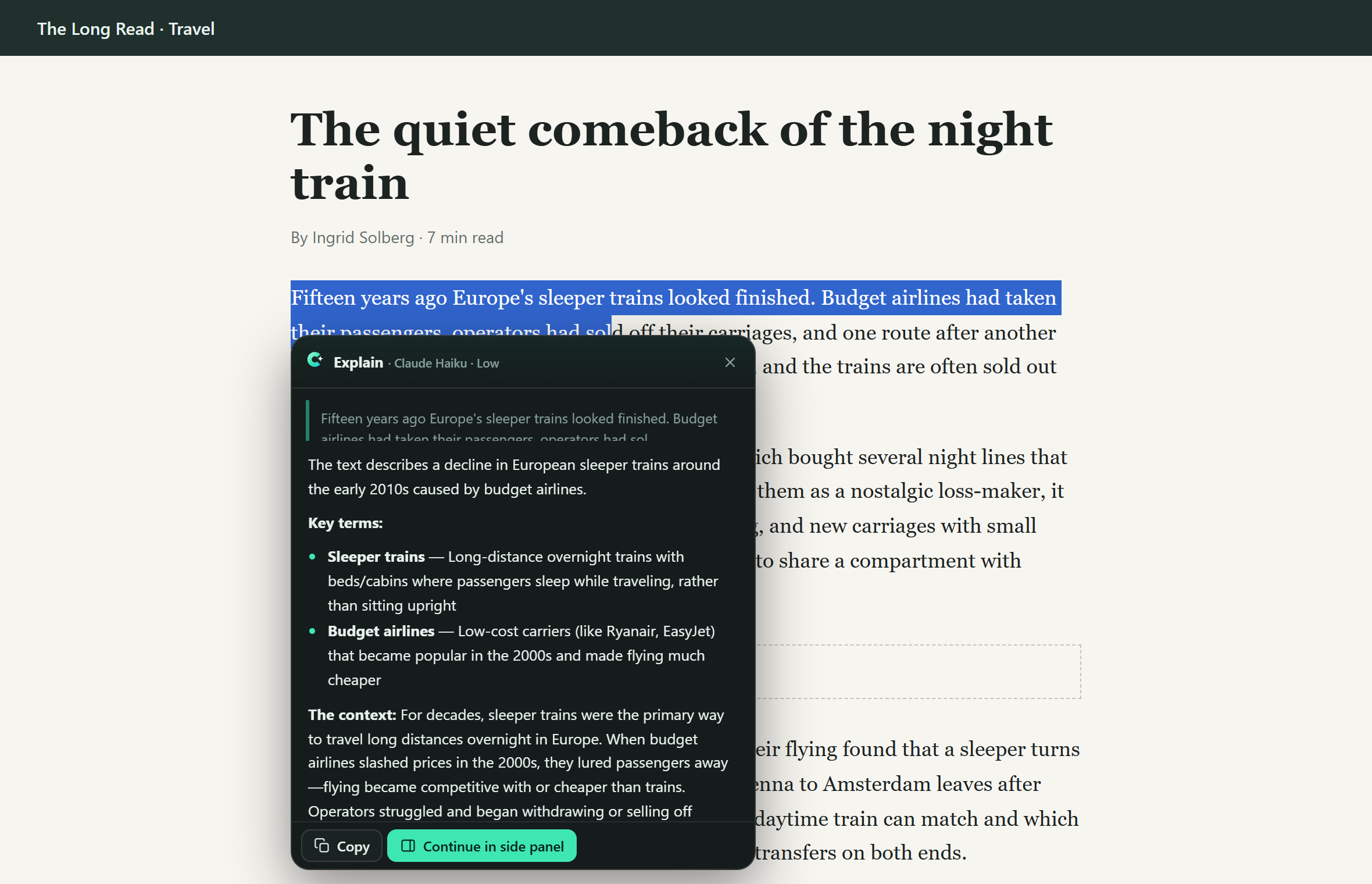
#Selection toolbar
Select some text on a page and a small bar appears above it:
- Explain, Summarize, Translate answer in a floating card right there.
- Ask lets you type your own question about the selection first.
- ⋯ has more actions (Simplify, Improve writing, Fact-check, Draft a reply, ELI5 and your own), plus Hide on this site and Turn off the toolbar.
Drag the card by its header. Copy copies the answer; Continue in side panel opens the same chat in the panel so you can ask follow-ups. Esc closes it.
On a YouTube video, timestamps in the card's answer and links to the same video seek the player on the page.
The toolbar skips text fields, and you can switch it off per site or entirely in Settings → Behavior.
#Right-click menus
| Right-click on | ChroMind offers |
|---|---|
| Selected text | Explain “…”, Summarize, Translate to …, Simplify, Improve writing, Fact-check, Draft a reply, your actions, Ask ChroMind about this… |
| The page | Summarize this page, Key points, Suggest questions, Translate, your actions, Ask about this page… |
| A link | Summarize linked page, Ask about linked page… (ChroMind reads it without opening it) |
| An image | Describe image, Ask about this image… |
Menu actions open the side panel (or use the one that's already open) and start a fresh chat. The Ask… items attach the selection, link or image to the message box and wait for your question.