
Chat with the page
Articles come through Mozilla Readability, so the AI gets the story, not the menus. Flip the Page switch off for a plain chat.
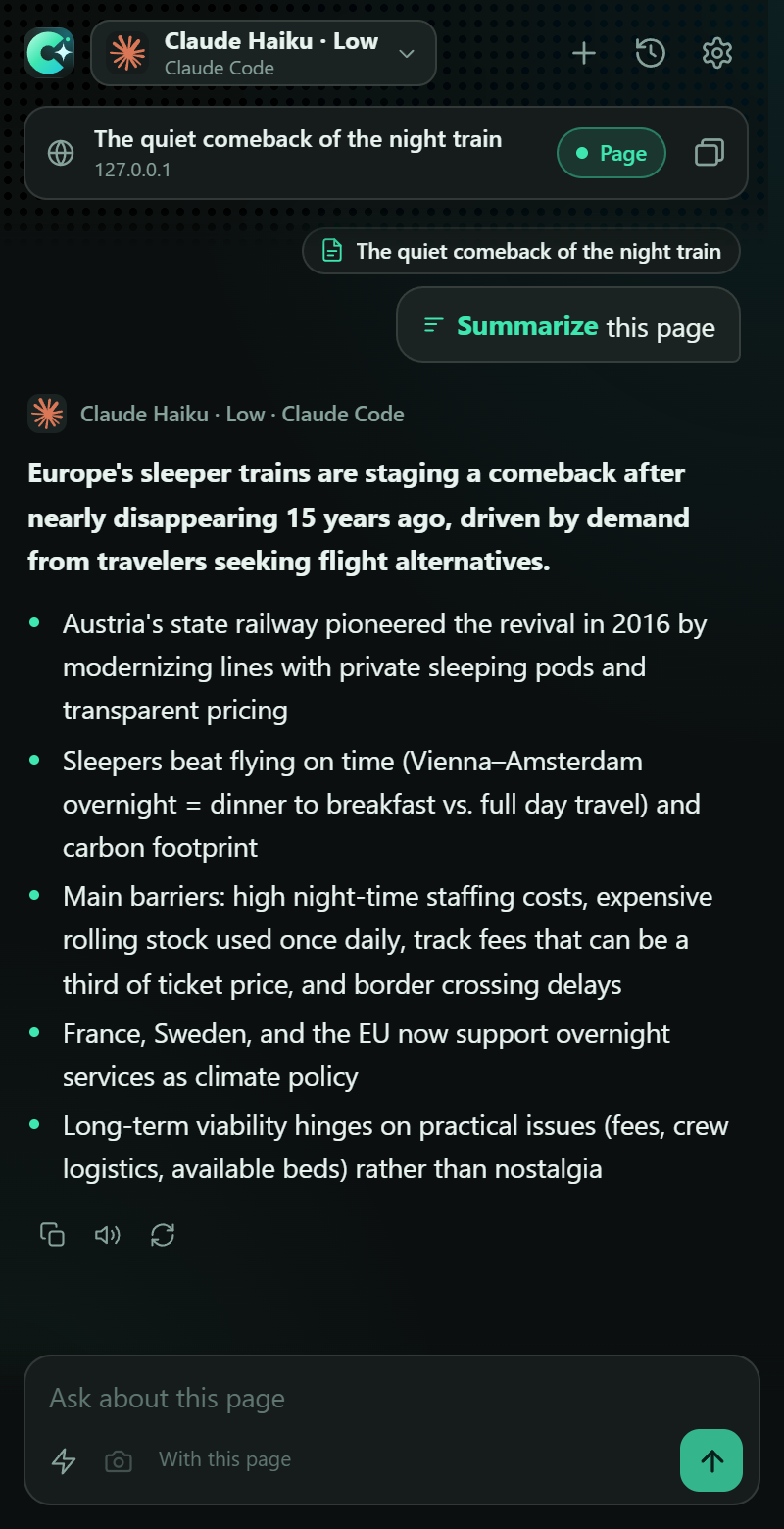
ChroMind is a side panel that reads the current page and answers with the AI you already have: your claude.ai login, your server running Hermes, OpenCode's free models, Claude Code and Cursor on your computer, or an API key.
Free and open source. No account and no tracking.
 Claude claude.ai login
Hermes your server
OpenCode free models
Cursor your plan
OpenRouter API key
Claude claude.ai login
Hermes your server
OpenCode free models
Cursor your plan
OpenRouter API key
 Gemini API key
Ollama local
Gemini API key
Ollama local
What it does
Reading, summarizing and asking about pages, videos and selections, with whichever model you pick.
Articles come through Mozilla Readability, so the AI gets the story, not the menus. Flip the Page switch off for a plain chat.
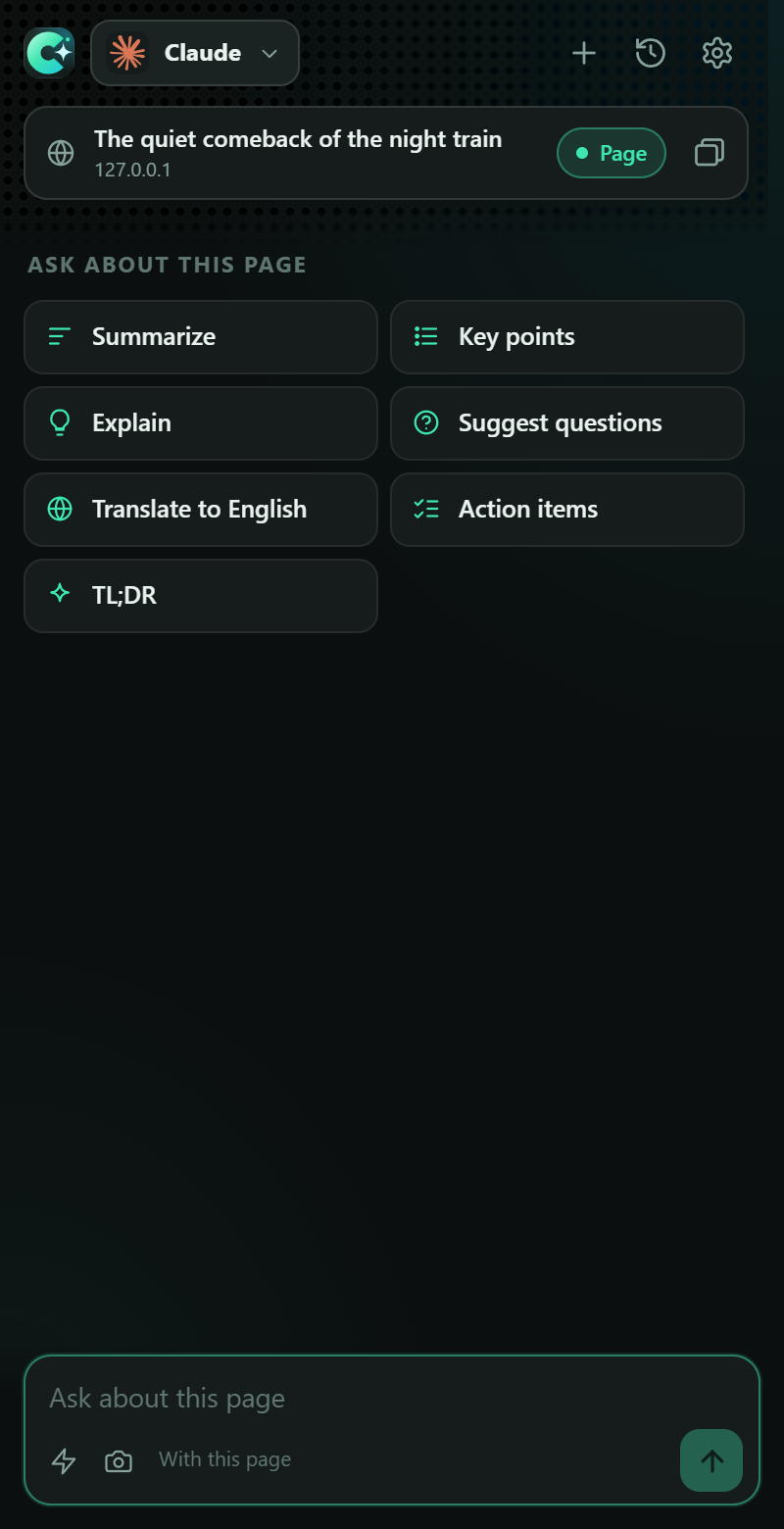
Summarize, key points, explain, ELI5, translate, fact-check, action items. Type / for all of them, or add your own.
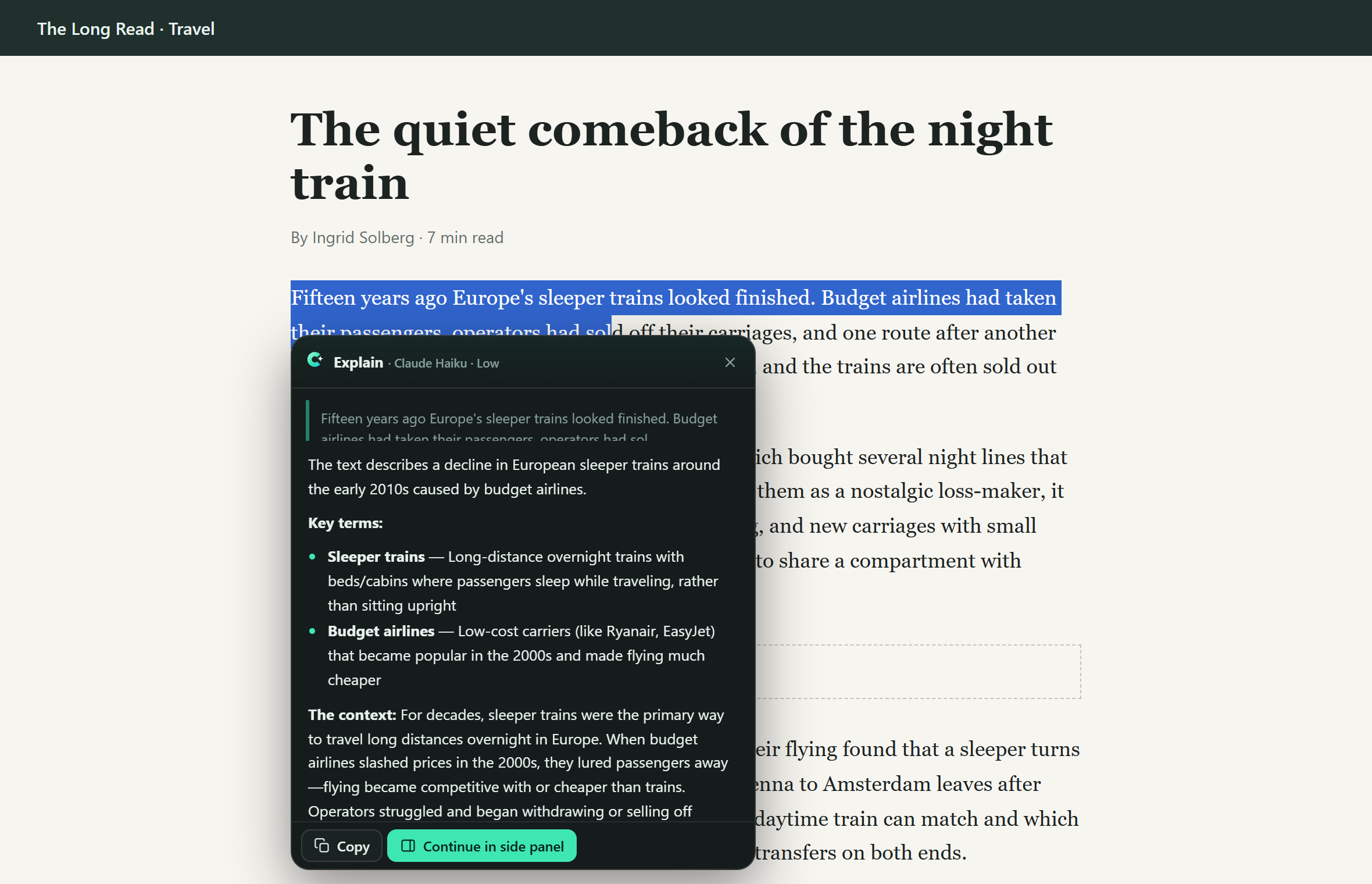
Highlight text for Explain, Summarize, Translate or Ask, answered in place. Right-click pages, links and images for the same.
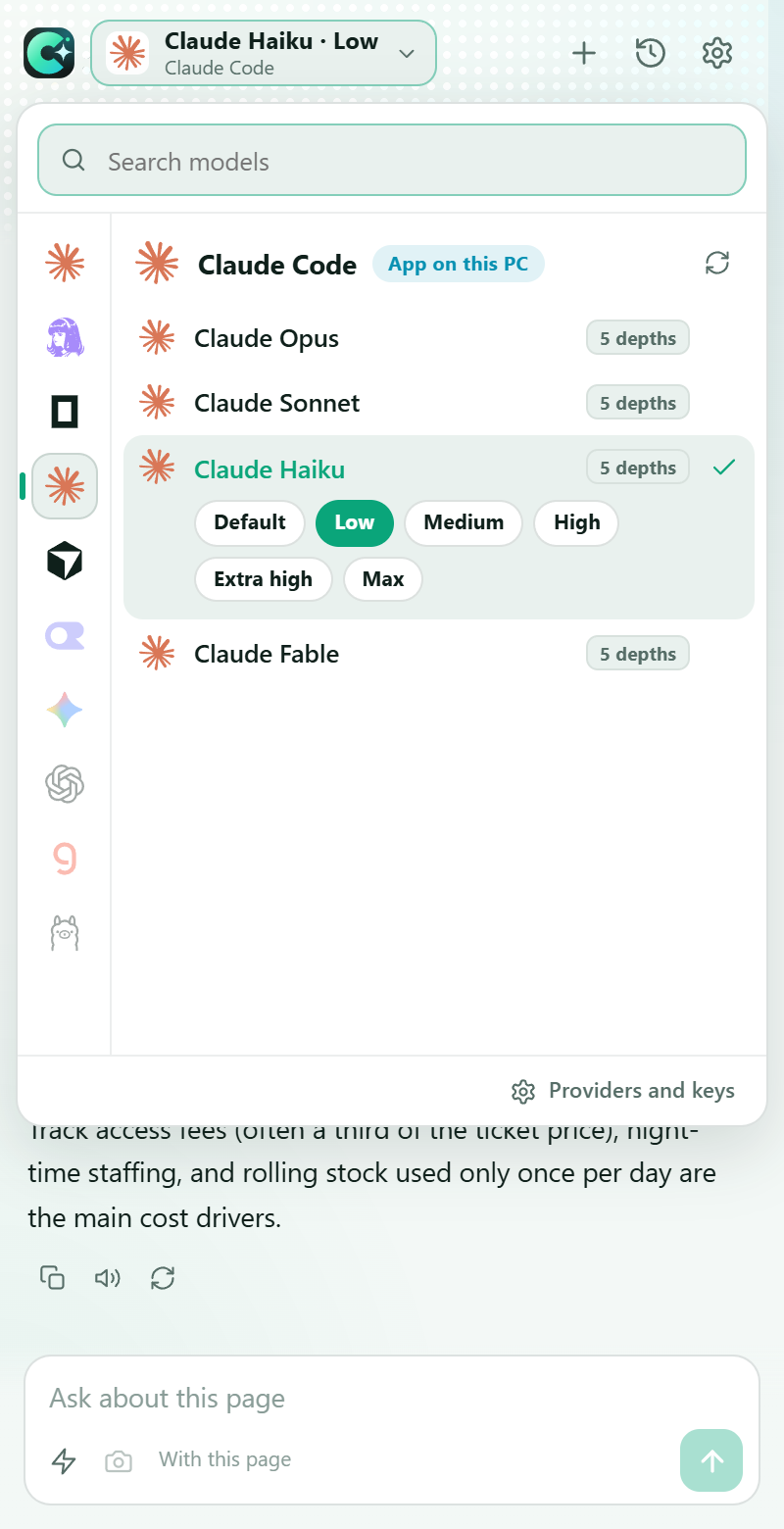
One picker for every provider and model, with thinking depth from Low to Max. Switch between messages.
On a video, ChroMind reads the transcript. Answers cite [mm:ss] moments you can click to jump to.
Add other tabs to the chat and compare them side by side. Attach a screenshot when the page is mostly pictures.
Looks like home
Dark and light themes, a dot-frost header, and nothing in the way of the page.
Set up in a minute
One click in Firefox and Zen. In Chrome, Edge and Brave: unzip and Load unpacked.
Signed in to claude.ai? Done. Your server takes its address and password; an API key is one paste.
Alt+Shift+A opens the panel. Alt+Shift+S summarizes the page.
Install ChroMind and ask it what this site is about.